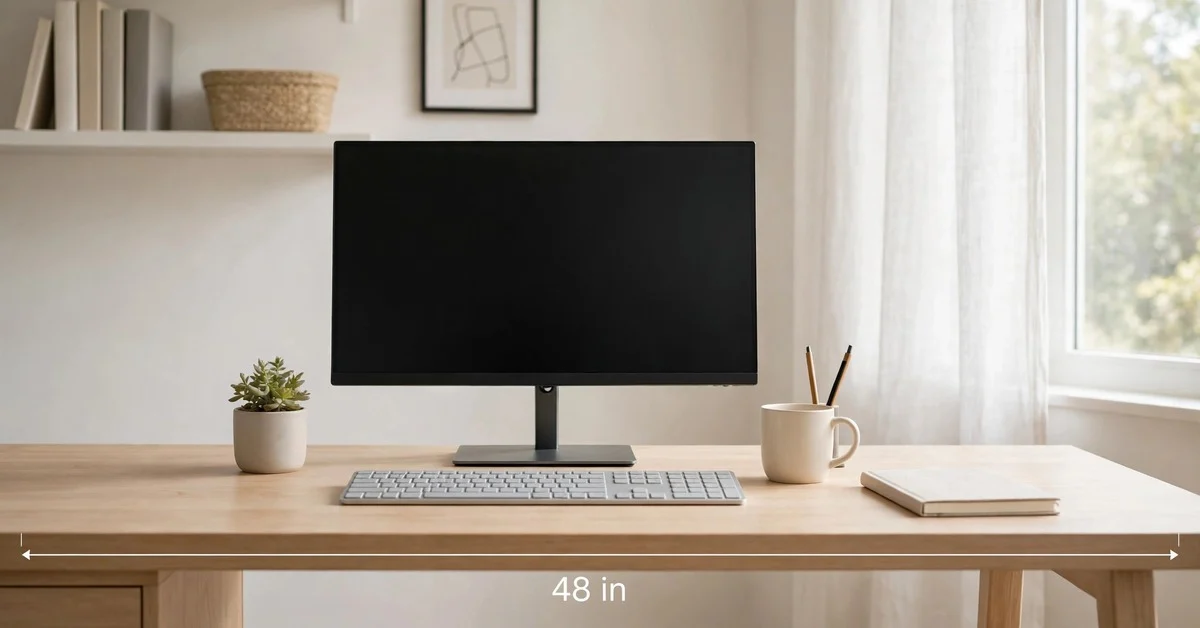
Standard Desk Dimensions: Width, Depth & Height Guide
A standard office desk measures about 48 inches wide, 24 inches deep, and 29 to 30 inches tall. That 48-by-24-inch surface is the benchmark most home-office and workplace desks are built around, fitting a laptop or monitor, a keyboard, and a few everyday items within easy reach. This guide compares writing desks, L-shaped desks, sit-stand models, and the clearance numbers that matter.
Desk Dimensions Conversion Chart
Here are the key desk measurements converted between inches and centimeters, so you can plan a layout in whichever unit your tape measure uses. If your tape shows only one unit, our guide on how to read a measuring tape for both scales.
| Inches | Centimeters (rounded) |
|---|---|
| 24 in | 61 cm |
| 25 in | 63.5 cm |
| 29 in | 73.7 cm |
| 30 in | 76.2 cm |
| 42 in | 106.7 cm |
| 48 in | 121.9 cm |
| 50 in | 127 cm |
| 60 in | 152.4 cm |
Desk Types Comparison
The right desk depends on how much equipment you use and the shape of your room. This first table compares common desk types by typical width, depth, and what each layout suits best.
| Desk Type | Typical Width | Typical Depth | Typical Height | Best For |
|---|---|---|---|---|
| 1. Writing Desk | 42 in | 24 in | 29–30 in | Laptop work, letters, light tasks |
| 2. Standard Office Desk | 48 in | 24 in | 29–30 in | Single or dual-monitor setups |
| 3. L-Shaped Desk | 60 in per side | 24 in | 29–30 in | Corner offices, multitasking |
| 4. Sit-Stand Desk | 48–60 in | 24–30 in | 24–50 in adjustable | Alternating sitting and standing |
| 5. Corner Desk | 48–60 in per side | 22–24 in | 29–30 in | Small rooms, efficient corners |
| 6. U-Shaped Desk | 60–72 in main side | 24–30 in | 29–30 in | Spacious offices, heavy paperwork |
| 7. Compact Desk | 32–36 in | 20–22 in | 29–30 in | Dorms, apartments, small nooks |
| 8. Executive Desk | 60–72 in | 30–36 in | 29–31 in | Large offices, meetings, storage |
Key Desk Measurement Reference
These seven measurements cover the numbers that actually affect comfort and fit — surface size, the space under the desk, and the desktop itself.
| Measurement | Standard Size | What It Means |
|---|---|---|
| 9. Standard Desk Width | 48 in | Room for monitor, keyboard, and documents |
| 10. Standard Desk Depth | 24 in | Enough depth for a monitor at a safe viewing distance |
| 11. Standard Desk Height | 29–30 in | Matches typical office chair seat heights |
| 12. Knee Clearance | 25 in | Open space under the desk for your knees |
| 13. Desktop Thickness | 1–1.5 in | Solid feel without wasting legroom |
| 14. Minimum Desk Depth for Monitor | 24 in | Lets a screen sit at least 20 inches from your eyes |
| 15. Comfortable Legroom Width | 30 in or more | Space between legs or pedestals for your chair |
1. Writing Desk
A writing desk is usually about 42 inches wide and 24 inches deep — noticeably slimmer than the standard office desk, by design. It is made for writing, reading, and laptop use rather than a bank of monitors, and the surface comfortably holds a laptop, a notebook, and a coffee mug without inviting clutter. Because it is narrower, a 42-inch writing desk slides into a bedroom, hallway nook, or living-room corner where a full office setup would dominate the space. Most writing desks pair the 29-to-30-inch height with any standard office chair.
2. Standard Office Desk
The standard office desk is about 48 inches wide, 24 inches deep, and 29 to 30 inches tall — the reference point for nearly every other desk size in this guide. The 48-inch width fits a 24-to-27-inch monitor or a pair of smaller screens side by side, plus a keyboard, mouse, and paperwork. The 24-inch depth keeps your monitor roughly 20 to 28 inches from your eyes, the range most ergonomics guidance points to for reducing eye strain. The 29-to-30-inch height lines up with a typical office chair adjusted so your feet rest flat on the floor. When retailers describe a “standard desk,” they almost always mean this 48-by-24 footprint.
3. L-Shaped Desk
An L-shaped desk is typically 60 inches along each side, with a 24-inch depth on both wings. That corner configuration gives you two work zones: one wing for your computer, the other for writing, reference books, or a second device. The L shape is a natural fit for a room corner, using wall space that otherwise sits empty and keeping everything within arm’s reach without rolling your chair across the room. One thing to measure before ordering is delivery access: a fully assembled 60-inch desk may not fit through a standard interior doorway, so check the standard door size against the packaging dimensions before it arrives.
4. Sit-Stand Desk
A sit-stand desk typically offers a height adjustment range of 24 to 50 inches, letting the desktop drop low enough for comfortable typing in a chair and rise high enough for standing work with your monitor at eye level. Most models move on electric motors, though manual crank versions cost less. The width usually runs 48 to 60 inches, so the surface is comparable to a standard office desk, and the depth often runs a bit deeper — around 24 to 30 inches — to keep the monitor stable and give the lifting mechanism room underneath. Alternating between sitting and standing through the day is the main reason people choose this style.
5. Corner Desk
A corner desk is typically 48 to 60 inches per side, with a depth of about 22 to 24 inches — similar to an L-shaped desk but usually smaller and designed to tuck into a single corner. Because the depth runs a touch shallower than a standard desk, a corner desk works well in small bedrooms or studio apartments where a straight desk would block a doorway or walkway. Measure the corner before buying: a 48-inch-per-side model needs roughly a four-by-four-foot square of clear floor plus room for the chair to roll. In a bedroom, compare the footprint to the bed first — our bed sizes in inches guide helps you picture both pieces before you commit.
6. U-Shaped Desk
A U-shaped desk usually has a main side of 60 to 72 inches, a depth of 24 to 30 inches, and return wings on both ends. It surrounds you on three sides: a front work surface plus side areas for a printer, files, reference materials, or a second computer. This configuration is common in large home offices where the desk doubles as the room’s command center. The footprint is substantial — plan on at least eight by eight feet of floor space, including the room your chair needs to turn between the wings. Because everything sits within reach, a U-shaped desk suits people who handle a lot of paperwork or switch between tasks constantly.
7. Compact Desk
A compact desk is usually 32 to 36 inches wide and 20 to 22 inches deep — the smallest practical work surface that still holds a laptop, a notebook, and a drink. These desks are common in dorm rooms and apartment nooks where every square foot matters. The trade-off is that a 20-inch depth leaves little room between your keyboard and a laptop screen, so this size suits shorter sessions rather than full workdays. Many compact desks fold, mount to a wall, or include casters so they can be moved or stored when the room serves another purpose. For occasional use in tight spaces, though, it is the right call.
8. Executive Desk
An executive desk is typically 60 to 72 inches wide, 30 to 36 inches deep, and 29 to 31 inches tall. The extra depth is the defining feature: at 30 inches or more, the desktop holds a large monitor at proper viewing distance with room left over for a phone, documents, and accessories. These desks often include built-in storage — pedestal drawers or a return — so the wide surface stays clear. They are made for large rooms; a 72-inch executive desk can overwhelm a small home office, so measure the room and leave at least three feet of walkway on the working side.
9. Standard Desk Width
The standard desk width is about 48 inches, and it matters because it is the minimum width most people find comfortable for a desktop computer setup. At 48 inches, you can center a 24-inch monitor with the keyboard in front of it and still have room on either side for a notebook, phone, or coffee. Wider desks — 60 inches and up — allow dual monitors or reference materials permanently open beside your keyboard, while narrower desks around 36 to 42 inches work for laptops but feel cramped with a full keyboard and mouse. For a visual sense of scale, a 48-inch desk sitting beside a 55-inch TV makes the comparison easy, since the TV runs a few inches wider.
10. Standard Desk Depth
The standard desk depth is about 24 inches, which determines how far your monitor sits from your eyes and how much space lies between the keyboard and the screen. At 24 inches, a monitor on its stand sits roughly 20 to 22 inches from where you sit — near the lower end of the comfortable viewing range. Shallower desks around 20 inches force the screen closer than is ideal, especially with larger displays, while deeper desks of 28 to 30 inches suit 27-inch and larger monitors because you can push the screen back and still keep writing space. Depth also affects cable management: a deeper desk gives you room behind the monitor for a power strip and cables without them hanging off the back edge.
11. Standard Desk Height
The standard desk height is about 29 to 30 inches from the floor to the top of the desktop. That height pairs with a typical office chair: sit with your feet flat on the floor and your elbows should rest at roughly 90 degrees with your hands on the keyboard. If the desk is taller than 30 inches and the chair cannot rise to match, your shoulders hunch upward; if it is shorter than 29 inches, your wrists bend awkwardly. When a desk falls outside the 29-to-30-inch range, an adjustable chair or keyboard tray can compensate, and sit-stand desks sidestep the issue entirely with their adjustable range.
12. Knee Clearance
Knee clearance of about 25 inches is the open space under the desk between the floor and the underside of the desktop. This number decides whether your knees and thighs fit comfortably beneath the work surface — with 25 inches, most adults can sit with thighs roughly horizontal and feet flat without the desk edge pressing against their legs. The clearance is affected by desktop thickness and anything hanging below it: a desk with a three-inch-deep drawer bank may leave only about 22 inches of true knee room even with the top at 29 inches. Check the underside, not just the top, before buying, and keep the full 25 inches free of bags, cables, and floor storage if you can.
13. Desktop Thickness
Desktop thickness on most home and office desks is about 1 to 1.5 inches. Thicker tops — up to two inches — feel solid and resist sagging across wider spans, which matters on 60-inch and longer desks where the middle can bow under heavy equipment. Thinner tops save legroom underneath, since every extra inch of thickness is an inch subtracted from your knee clearance. Laminate and particleboard desks usually sit at the 1-inch end of the range, while solid wood and butcher-block tops are often 1.5 inches or more. Thickness also affects how securely a monitor arm or desk lamp can clamp on: very thin desktops under an inch may need a reinforcement plate for a heavy monitor arm.
14. Minimum Desk Depth for Monitor
The minimum desk depth for comfortable monitor use is about 24 inches, which lets you position the screen at least 20 inches from your eyes — the distance where most people read text without leaning forward or squinting. With smaller 21-to-24-inch monitors, 24 inches of depth is plenty; with 27-inch and larger displays, aim for 28 to 30 inches so the screen can sit 28-plus inches away. Eye strain from sitting too close is one of the most common home-office complaints, and desk depth is often the hidden cause — people blame the monitor when the real issue is a desk that forces the screen too close. If your desk is shallower than 24 inches, wall-mounting the monitor or using a monitor arm can buy a few inches.
15. Comfortable Legroom Width
A comfortable legroom width is about 30 inches or more between the desk’s legs, pedestals, or side panels. This side-to-side space decides whether you can shift, stretch, and roll your chair freely while sitting centered at the desk. A standard 48-inch desk with legs at the corners provides this easily; the problem appears on desks with drawer pedestals on both sides, which can squeeze the middle opening down to 24 inches or less. That narrow gap traps your chair, locks your arms into a fixed position, and makes the desk feel smaller than its width suggests. When comparing models, look for the “knee space width” or “opening width” in the specifications rather than just the overall width.
Frequently Asked Questions
What are the dimensions of a standard desk?
A standard office desk is about 48 inches wide, 24 inches deep, and 29 to 30 inches tall. That 48-by-24-inch surface is the most common size for home offices and workplaces, fitting a monitor or laptop, keyboard, and everyday items. Writing desks run a bit narrower at about 42 inches wide.
How much knee clearance does a desk need?
About 25 inches of open space under the desktop is the comfortable standard for knee clearance. Drawers, modesty panels, or thick desktops that hang below the surface reduce this space, so check the actual underside clearance rather than just the desk height when you compare models.
What size desk do I need for two monitors?
Plan on at least 55 to 60 inches of width for a comfortable dual-monitor setup. Two 24-inch monitors side by side take up roughly 44 inches of screen width before you add the keyboard, mouse, and any documents. A 60-inch desk or an L-shaped desk with 24-inch-deep wings gives both screens proper spacing.
How tall should a standing desk go?
A sit-stand desk should adjust from about 24 inches at its lowest to about 50 inches at its highest. The low end suits seated typing, while the high end lets most adults stand with their monitor at eye level and elbows near 90 degrees. Make sure the motorized range actually covers both positions before buying.
Final Thoughts
Choosing a desk comes down to three numbers: width, depth, and height, and the standards exist because they match real bodies and real rooms. A 48-by-24-inch desk at 29 to 30 inches tall fits most people and most equipment, with 25 inches of knee clearance keeping long sessions comfortable. From there, adjust to your life: a 42-inch writing desk for small spaces, a 60-inch L-shape for corners and multitasking, or a sit-stand model with a 24-to-50-inch range if you want to change postures through the day. Measure your room, your doorway, and your equipment before ordering, and check the underside clearance as carefully as the desktop size. Get those dimensions right, and the desk disappears into the background of your work — which is exactly what a good desk should do.

Hi, I’m Vera Lindqvist, a content writer at MeasuresIt.com, where I turn measurement standards, unit conversions, and precision tools into clear, practical guides. I care about getting the details right so you don’t have to second-guess them.